Telestrator

Telestrator

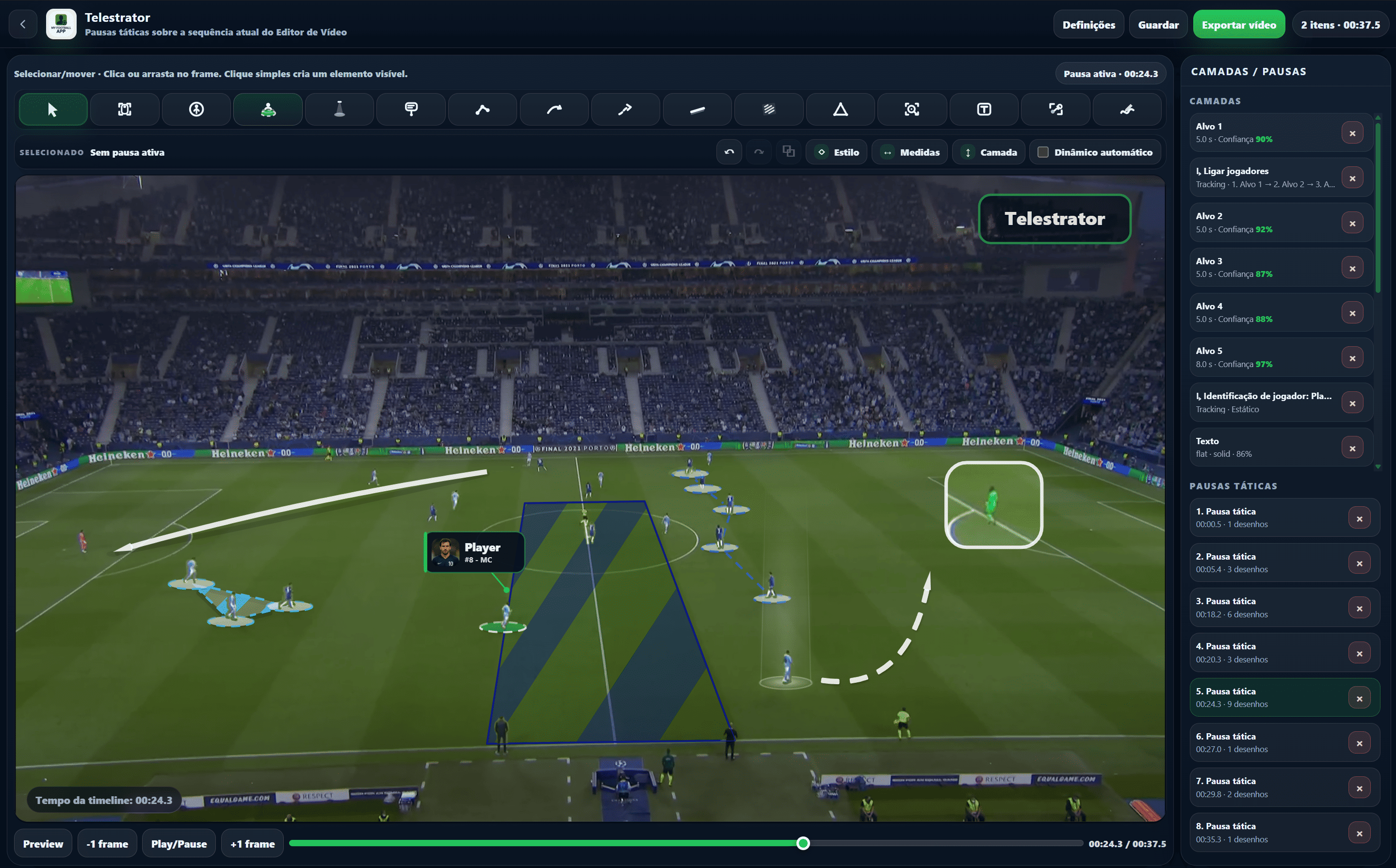
Turn the Video Editor final sequence into visual feedback: pause the right frame, draw over the play, apply 3D tools and export the video with the analysis included.

Video and analysisWeb + DesktopShared workspace
TelestratorPart of the My Football App connected ecosystem.
Video and analysisArea
PT / ENAvailable in both languages
Shared dataIntegrated workflow
Telestrator
Overview

Telestrator

Turn the Video Editor final sequence into visual feedback: pause the right frame, draw over the play, apply 3D tools and export the video with the analysis included.

Tactical pausesChoose the exact frame · Set pause duration · Review key moments clearly
3D playerPitch-depth player circles · Outline, fill, opacity and dashed styles · Visually identify players and action zones
Spotlight and zoomHighlight zones or players · Zoom into details · Keep context while focusing attention
Arrows and movementsPassing lines · Runs and movements · Curves with an editable intermediate point
Visual analysis integrated into the video project

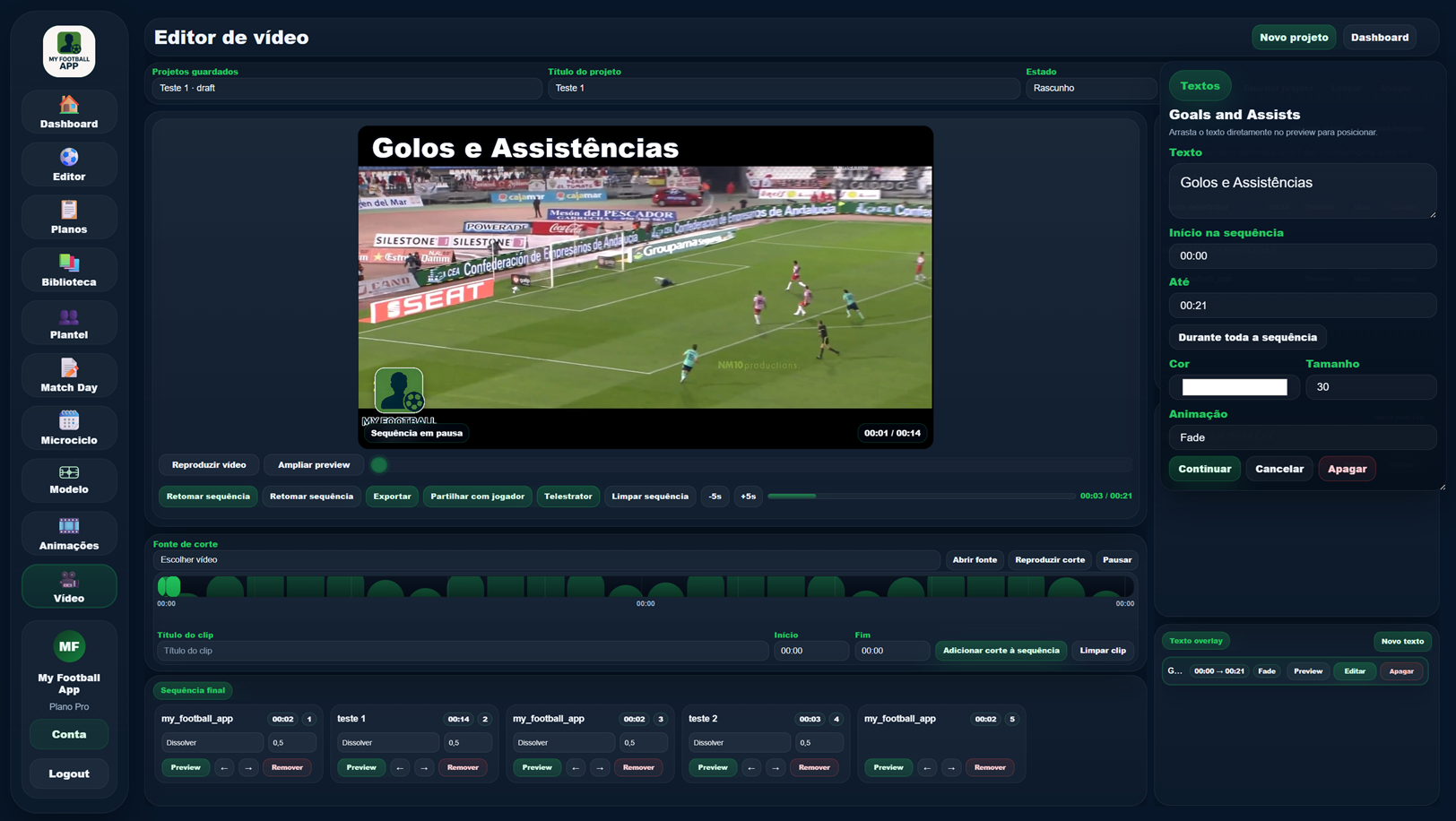
The telestrator is not a separate tool: it stays linked to the Video Editor project, saves the analysis session and lets you resume work with the same pauses and drawings.

01

On the final sequence

Analysis runs on the Video Editor final timeline, respecting clips, images, cuts and the order defined by the technical staff.

02

Saved with the project

Tactical pauses and drawings remain associated with the video project so the technical staff can resume the analysis.

03

Editable tools

Colours, thickness, opacity, line style, fill and depth can be adjusted to the needs of each analysis.

Connected to the rest of the ecosystem.

Related areas that continue the same workflow and reuse the same context.

Included in the technical staff workspace

The Telestrator is part of the My Football App video-analysis flow and works directly on the Video Editor final sequence.

Create workspace